
Daniel Peck
Gründer @ MontiLab
Lokal oder Cloud? Wo die KI einer kleinen Fabrik rechnet
Samstag, 23. Jänner 2027, am Nachmittag (Demo Sessions)
 KI-generiert
Vom Klick zur Kiste
Probier es aus: Du löst den Auftrag aus, die KI bereitet vor, und ohne deine Freigabe druckt nichts.
Nur eine Animation: Hier startet kein echter Drucker.
- AuftragEin Klick, zum Beispiel für eine Europa-Box.
- VorbereitenDie KI bereitet die Druckdateien vor und rechnet Druckzeit und Material.
- PrüfenSie liest den Status der Drucker in der Werkstatt.
- Freigeben MenschEin Mensch gibt den Druck frei. Die KI startet nichts allein.
- DruckenZehn Drucker, sieben davon mit Farbwechsler.
- PackenHeute packt ein Mensch die Kiste. Später sollen Förderband und Roboterarm übernehmen.

Wo die KI rechnet
Cloud: Planung und Recherche
Planen darf in der Cloud passieren. Was in Echtzeit laufen oder ohne Internet weiterlaufen muss, gehört nicht hierher.
Bei uns
- Große Sprachmodelle für Entwicklung, CAD-Skripte, Planung und Recherche
Werkstatt: Status, Steuerung und lokale KI
Status und Steuerung bleiben im eigenen Netz, sensible Daten bleiben im Haus.
Bei uns
- Slicen per KI, geprüft gegen den Slicer
- Druckerstatus im eigenen Netz; den Snapmaker U1 lesen wir seit Oktober live aus
- Eigene KI-Assistenz, Bildsuche und Bildstudio mit offenen, kommerziell nutzbaren Modellen auf einer Grafikkarte mit 16 GB
Wo es hakt
Chat und Bild-KI teilen sich die 16 GB Grafikspeicher.
Maschine: Echtzeit und Sicherheit
Was in Echtzeit laufen muss und Menschen schützt, bleibt an der Maschine.
Bei uns
- Firmware der Drucker
- Steuerung des Förderbands auf einem Mikrocontroller mit Watchdog: 13 Sicherheitssperren, Not-Halt in Hardware (bisher im Simulator)
Wo es hakt
Im eigenen Netz steuern lässt die Bambu-Firmware nur ohne Cloud und Handy-App zu.
Fünf Fragen für jede Aufgabe
Danach entscheiden wir, wo eine Aufgabe rechnet:
- Muss es in Echtzeit laufen?
- Sind die Daten sensibel?
- Muss es ohne Internet weiterlaufen?
- Was kostet es je Teil oder Monat?
- Dürfen wir das Modell kommerziell nutzen?
Gedruckt in unserer Farm
 Echtes Foto
Marina Bay Sands (Asien) 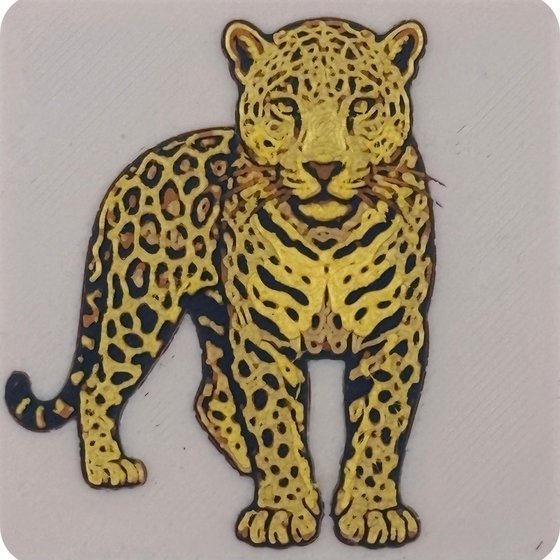 Echtes Foto
Leopard (Afrika)  Echtes Foto
Schneeleopard (Asien)  Echtes Foto
Uluru (Australien)
Neue Motive für den geplanten UV-Druck
260 Motive für sieben Kontinente: je Kontinent zehn Tiere, zehn Wahrzeichen, zehn Länder und zehn Flaggen, für die Antarktis nur Tiere und Wahrzeichen.
KI-generierte Druckvorlagen für den geplanten UV-Druck, noch nicht gedruckt
Tiere

Löwe (Afrika) 
Großer Panda (Asien) 
Tukan (Südamerika) 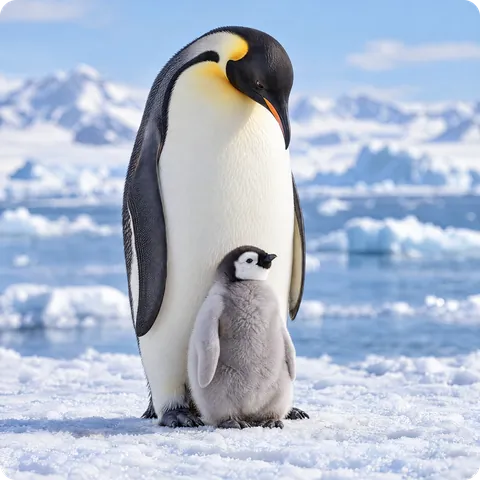
Kaiserpinguin (Antarktis)
Wahrzeichen

Schloss Schönbrunn (Europa) 
Pyramiden von Gizeh (Afrika) 
Machu Picchu (Südamerika) 
Fuji (Asien)
Länder
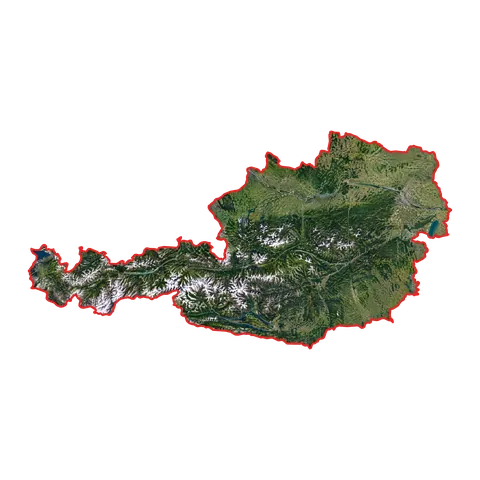
Österreich 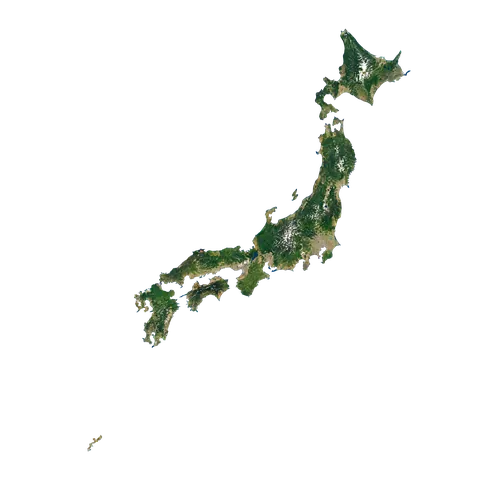
Japan 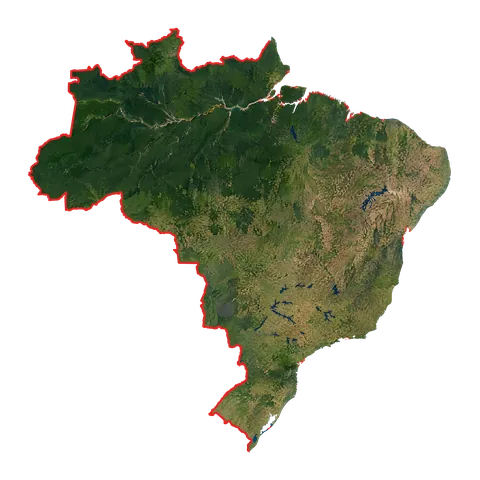
Brasilien 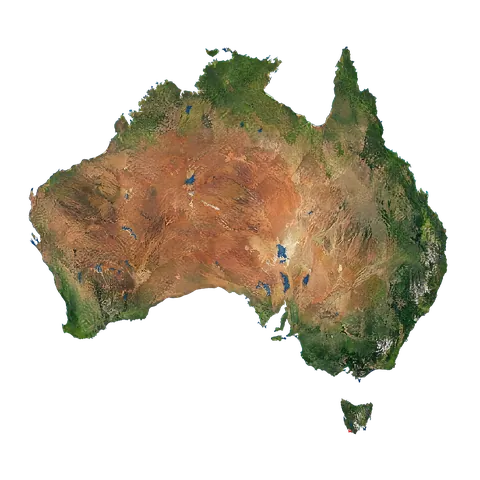
Australien
Flaggen

Österreich 
Japan 
Brasilien 
Kanada
Lasergravur im Glas
Mit unserem UV-Laser gravieren wir Unterwasserszenen Punkt für Punkt ins Innere von K9-Glas (50 × 50 × 80 mm).
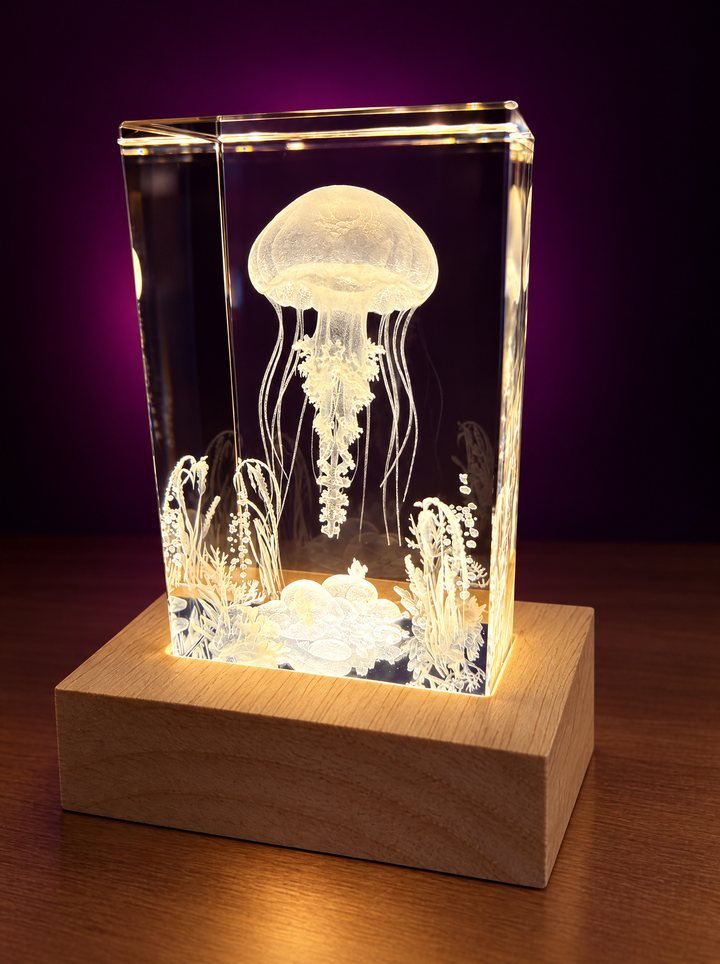
QualleFoto, mit KI nachbearbeitet 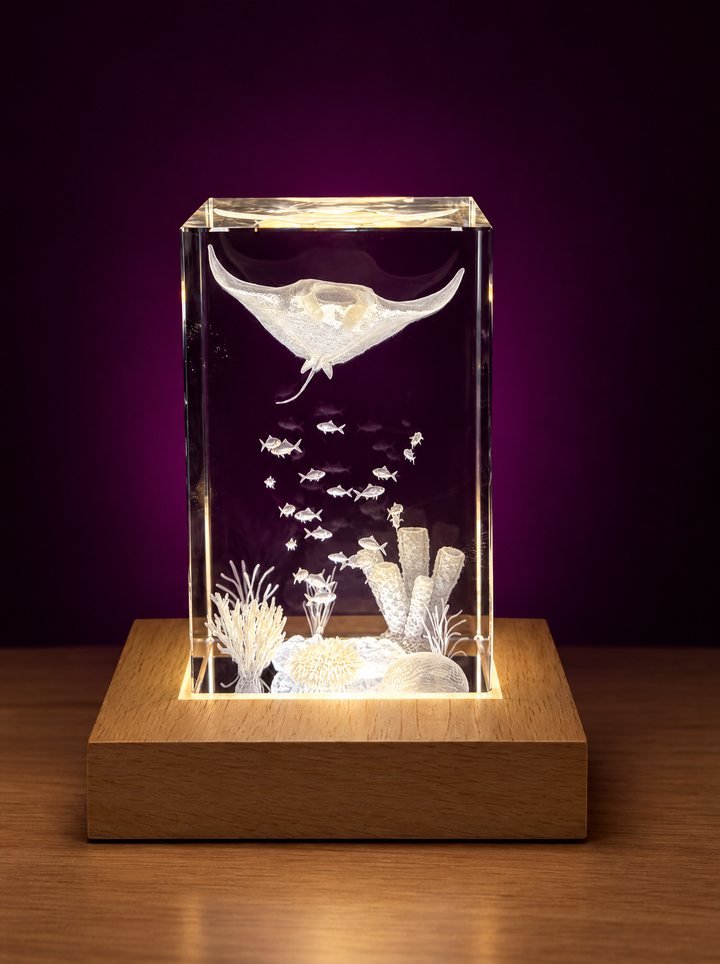
MantaFoto, mit KI nachbearbeitet
Was als Nächstes kommt
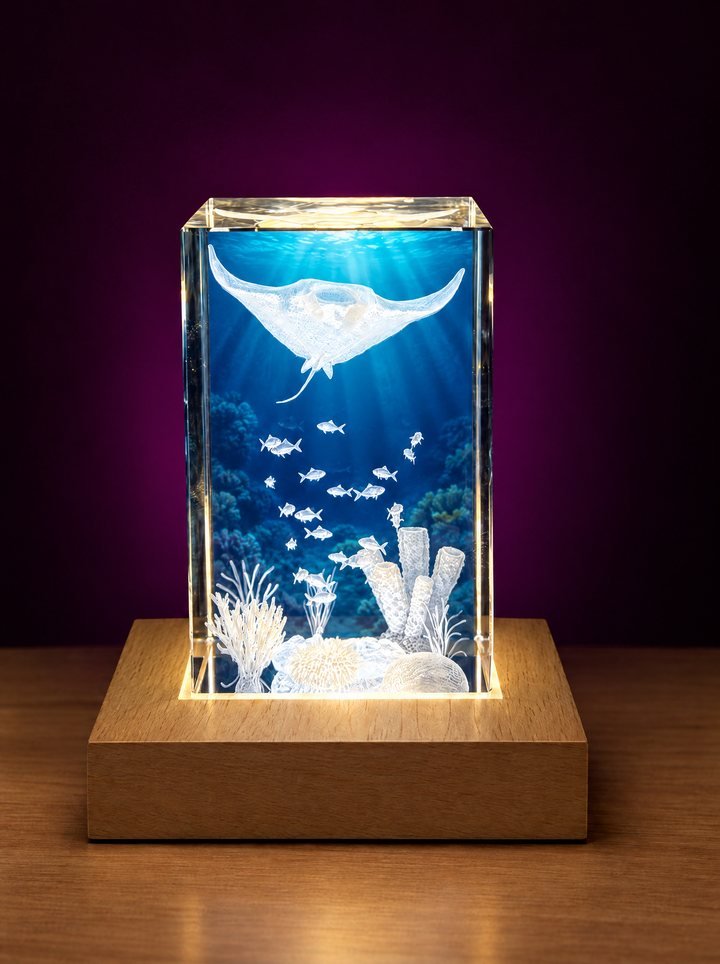
Lasergravur plus UV-Druck
Idee, KI-Visualisierung, noch nicht hergestellt
Mit dem geplanten UV-Drucker wollen wir die Rückseite des Kristalls farbig bedrucken. Vorne schwebt die Lasergravur, dahinter liegt das Meer, wie in einem kleinen Aquarium.
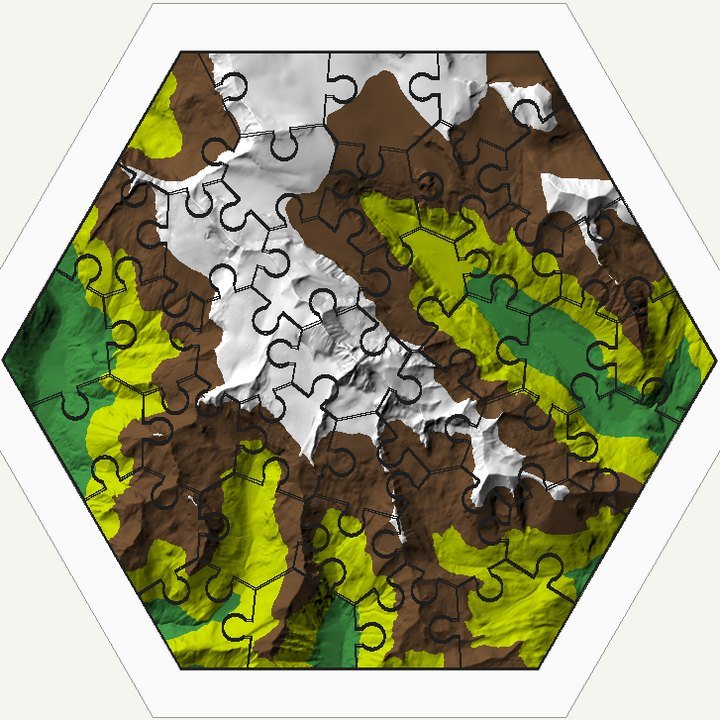
Relief-Puzzle
Rendering des Prototyps
Echte Landschaften als 3D-Puzzle aus offenen Höhendaten. Der erste Prototyp ist der Großglockner mit 37 Teilen.
Wohin es geht
Förderband, Roboterarm, Verpackung und Lager gibt es bisher nur im Simulator. So sollen sie die Fertigung Schritt für Schritt übernehmen.
Bring die Box ins Lager
Klick die Stationen in der richtigen Reihenfolge an: Jede zeigt ihren Abschnitt des Simulationsfilms. Wer eine überspringt, läuft in eine Sperre. Oder sieh dir den ganzen Film am Stück an.
Simulation Schema der Strecke aus unserer Simulation, nicht maßstäblich.
Wo beginnt der Weg einer Box? Wähle die erste Station auf dem Plan.
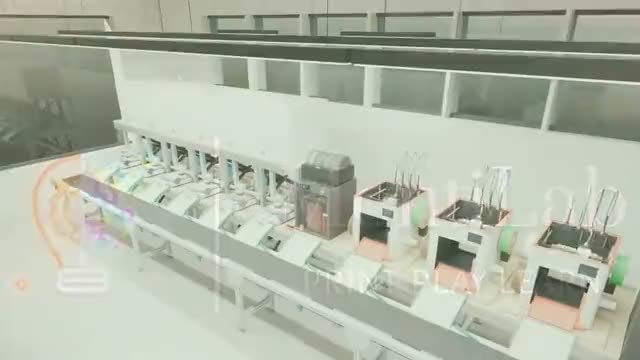 Simulation
1Plattenwechsel
Der Auftrag teilt die Arbeit auf drei Drucker auf: Rohlinge, Box und Deckel. Beim Plattenwechsel steht das Band, die Druckplatte gleitet in die Lücke.
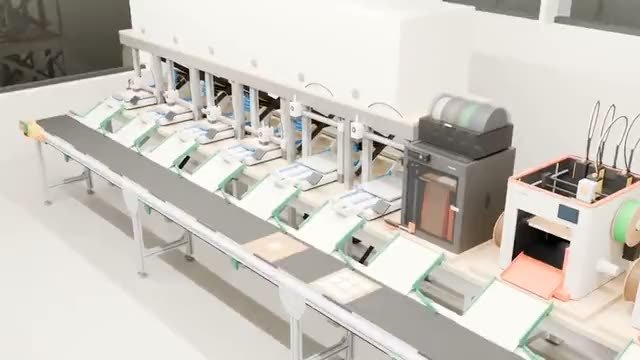 Simulation
2Förderband
Die Platten fahren, ein Kamera-Portal prüft ihre Lage. Die Box wird in die Rinne geschoben, dabei steht das Band. Die erste Platte fährt über die Förderecke zur Abräumlage.
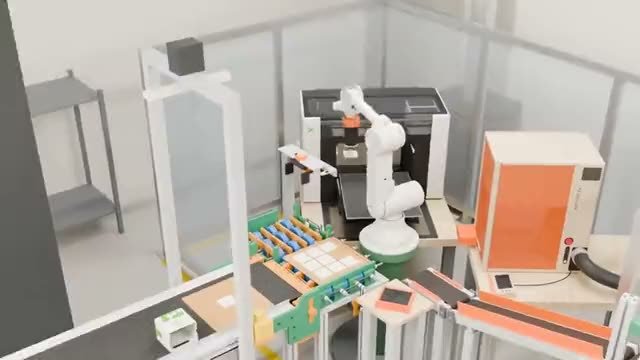 Simulation
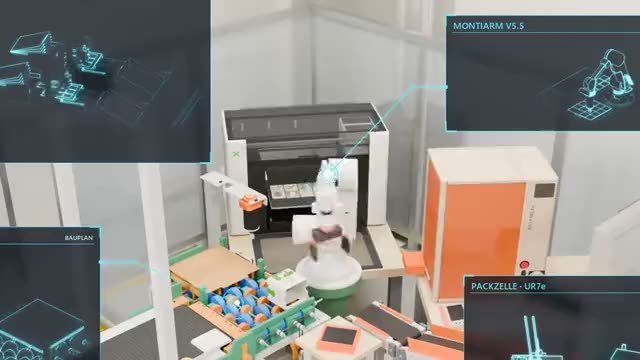
3UV-Druck
Der Roboterarm legt die Rohlinge ins UV-Bett, dort werden die zehn Motive gedruckt. Danach wechselt der Arm auf den Boxgreifer.
 Simulation
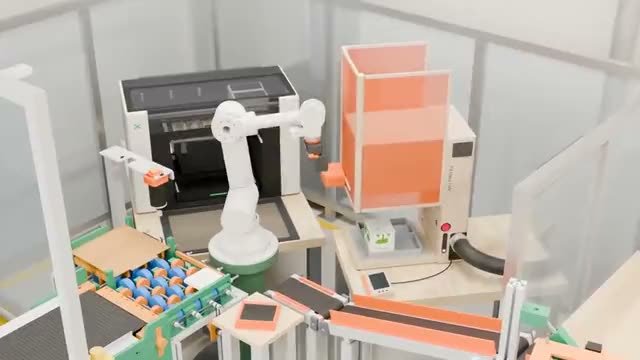
4Box lasern
Mit dem Boxgreifer kommt die Box unter die Haube, das Label wird auf den Boxboden gelasert.
 Simulation
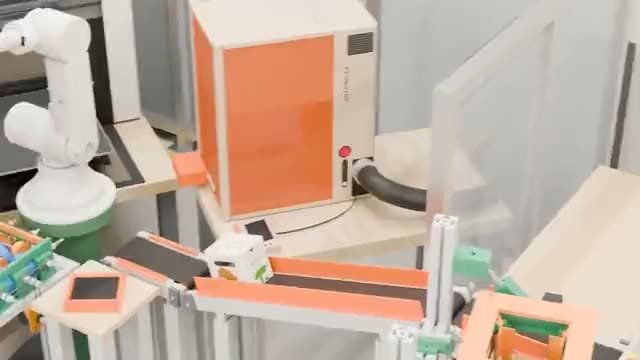
5Box bestücken
Die Box kommt in die Aufnahme, der Vakuumkopf legt zehn Kacheln hinein, der Deckel wird gewendet.
 Simulation
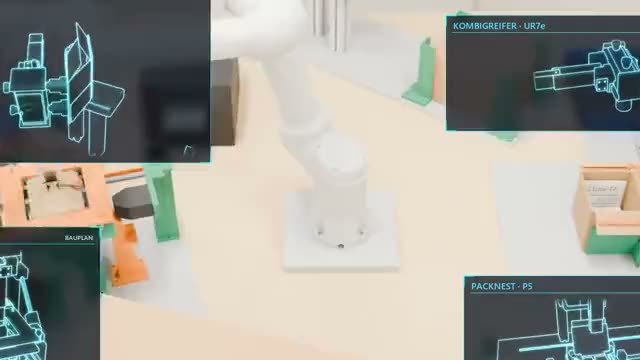
6Einpacken
Die Faltschachtel wird an der Leitwand aufgerichtet, der Boden rastet am Stempel ein. Eine Zeitung wird als Polster hineingedrückt, die Box kommt in den Jutesack, die Kordel wird zugezogen.
 Simulation
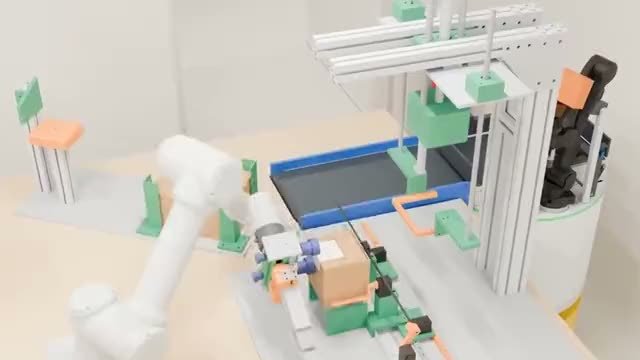
7Versandetikett
Die Box kommt in den Karton: Staublaschen, Deckel, Einstecklasche. Das Etikett geht vom Spender über die Deckelkante.
 Simulation
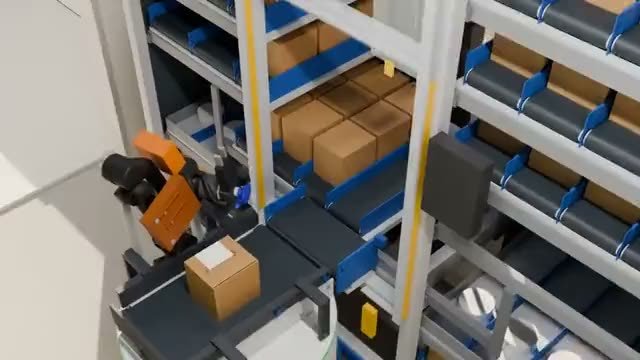
8Übergabe ins Lager
Der Karton steht am Übergabeplatz bereit. Der Lagerroboter übernimmt ihn und fährt durch zwei Türen und den Vorraum.
 Simulation
9Einlagern
Am Liftregal dockt der Lagerroboter an, die Klappe geht auf, der Karton rollt über die Brücke. Der Lift bringt das Tablar ins Fach.
Die Sperren im Spiel sind vereinfacht. Am Förderband prüft der Steuerungskern jede Sperre selbst (bisher im Simulator), der Not-Halt ist Hardware, und die KI kann keine Sperre umgehen.
„Bei uns rechnet KI an drei Orten: direkt an der Maschine, lokal in der Werkstatt und in der Cloud.“
Daniel PeckGründer @ MontiLabDemo Session
Lokal oder Cloud? Wo die KI einer kleinen Fabrik rechnet
Samstag, 23. Jänner 2027, am Nachmittag (Demo Sessions)
Drei Schlagworte
- KI an drei Orten: Maschine, Werkstatt, Cloud
- Live aus der Druckfarm: Die KI bereitet vor, ein Mensch gibt frei
- Sicherheitssperren in der Maschine, nicht in der KI
In meiner Demo zeige ich, wie wir bei MontiLab Montessori-Lernspielzeug auf einer eigenen Druckfarm mit zehn 3D-Druckern fertigen und wo dabei KI rechnet: an der Maschine, auf einem Rechner in der Werkstatt und in der Cloud. Ich erkläre, nach welchen Fragen wir jede Aufgabe einem Ort zuordnen: Echtzeit, Datenschutz, Ausfallsicherheit, Kosten je Teil und Lizenz. Dann geht es live: Ein KI-Agent bereitet einen Druckauftrag vor, rechnet Druckzeit und Material und liest den Druckerstatus. Der Start läuft als Trockenlauf, freigeben darf nur ein Mensch. Im Simulator zeige ich, wie Förderband und Roboterarm die Fertigung später übernehmen sollen und wo die KI an einer Sicherheitssperre abprallt. Zum Schluss erzähle ich, wie wir die Fertigung in den nächsten Monaten Schritt für Schritt automatisieren wollen.
About
- Gründer @ MontiLab
- Montessori-Lernspielzeug aus der eigenen 3D-Druckfarm in Neusiedl am See
- Kommt aus der Zahntechnik: Digitale Fertigung ist sein Handwerk

Cloud Day 4 Podcast
Das Video folgt im Jänner 2027.
Daniel Peck
Founder @ MontiLab
Local or Cloud? Where a Small Factory’s AI Should Run
Saturday, 23 January 2027, afternoon (Demo Sessions)
AI-generated
From click to crate
Try it: you place the order, the AI prepares, and nothing prints without your approval.
Just an animation: no real printer starts here.
- OrderOne click, for example for a Europe box.
- PrepareThe AI prepares the print files and estimates print time and material.
- CheckIt reads the status of the printers in the workshop.
- Approve HumanA human approves the print. The AI never starts anything on its own.
- PrintTen printers, seven of them with colour changers.
- PackToday a human packs the crate. Later, a conveyor and a robot arm are meant to take over.
Where the AI runs
Cloud: planning and research
Planning may happen in the cloud. Anything that must run in real time or keep running without internet does not belong here.
In our shop
- Large language models for development, CAD scripts, planning and research
Workshop: status, control and local AI
Status and control stay on our own network, sensitive data stays in-house.
In our shop
- AI-assisted slicing, checked against the slicer
- Printer status on our own network; we have been reading the Snapmaker U1 live since October
- Our own AI assistant, image search and image studio with open, commercially usable models on a single 16 GB graphics card
Where it gets tricky
Chat and image AI share the same 16 GB of graphics memory.
Machine: real time and safety
Anything that must run in real time and protects people stays on the machine.
In our shop
- Printer firmware
- Conveyor control on a microcontroller with a watchdog: 13 safety interlocks, hardware emergency stop (in simulation so far)
Where it gets tricky
The Bambu firmware only allows control on our own network without cloud and phone app.
Five questions for every task
This is how we decide where a task runs:
- Does it have to run in real time?
- Is the data sensitive?
- Must it keep running without internet?
- What does it cost per part or per month?
- Are we allowed to use the model commercially?
Printed in our farm
- Real photo
Marina Bay Sands (Asia) - Real photo
Leopard (Africa) - Real photo
Snow leopard (Asia) - Real photo
Uluru (Australia)
New motifs for the planned UV printing
260 motifs for seven continents: ten animals, ten landmarks, ten countries and ten flags per continent; for Antarctica, animals and landmarks only.
AI-generated print templates for the planned UV printing, not printed yet
Animals
Lion (Africa) Giant panda (Asia) Toucan (South America) Emperor penguin (Antarctica)
Landmarks
Schönbrunn Palace (Europe) Pyramids of Giza (Africa) Machu Picchu (South America) Mount Fuji (Asia)
Countries
Austria Japan Brazil Australia
Flags
Austria Japan Brazil Canada
Laser engraving in glass
With our UV laser we engrave underwater scenes point by point inside K9 glass (50 × 50 × 80 mm).
JellyfishPhoto, retouched with AI MantaPhoto, retouched with AI
What comes next
Laser engraving plus UV printing
Idea, AI visualisation, not made yet
With the UV printer we are planning to buy, we want to print the back of the crystal in colour. The laser engraving floats in front, the sea lies behind it, like in a small aquarium.
Relief puzzle
Rendering of the prototype
Real landscapes as a 3D puzzle made from open elevation data. The first prototype is the Grossglockner with 37 pieces.
Where we are heading
The conveyor, robot arm, packing station and warehouse exist only in simulation so far. This is how they are meant to take over production step by step.
Take the box to the warehouse
Click the stations in the right order: each one shows its section of the simulation film. Skip one and you run into an interlock. Or watch the whole film in one go.
Simulation Schematic of the route from our simulation, not to scale.
Where does a box start its journey? Choose the first station on the plan.
- Simulation
1Plate change
The order splits the work across three printers: blanks, box and lid. During the plate change the belt stands still and the print plate slides into the gap.
- Simulation
2Conveyor
The plates travel, a camera gantry checks their position. The box is pushed into the chute while the belt stands still. The first plate crosses the conveyor corner to the unloading position.
- Simulation
3UV printing
The robot arm places the blanks on the UV bed, where the ten motifs are printed. Then the arm switches to the box gripper.
- Simulation
4Laser the box
With the box gripper, the box goes under the hood and the label is lasered onto the bottom of the box.
- Simulation
5Fill the box
The box goes into the fixture, the vacuum head places ten tiles inside, the lid is turned over.
- Simulation
6Packing
The folding carton is erected against the guide wall, the bottom locks in on the stamp. A newspaper is pressed in as padding, the box goes into the jute bag and the cord is pulled tight.
- Simulation
7Shipping label
The box goes into the carton: dust flaps, lid, tuck-in flap. The label goes from the dispenser across the edge of the lid.
- Simulation
8Handover to storage
The carton waits at the handover point. The warehouse robot takes it over and drives through two doors and the anteroom.
- Simulation
9Store away
The warehouse robot docks at the lift rack, the flap opens, the carton rolls across the bridge. The lift takes the tray to its slot.
The interlocks in this game are simplified. On the conveyor, the control core checks every interlock itself (in simulation so far), the emergency stop is hardware, and the AI cannot bypass an interlock.
“In our shop, AI runs in three places: on the machine, locally in the workshop, and in the cloud.”
Daniel PeckFounder @ MontiLabDemo Session
Local or Cloud? Where a Small Factory’s AI Should Run
Saturday, 23 January 2027, afternoon (Demo Sessions)
Three keywords
- AI in three places: machine, workshop, cloud
- Live from the print farm: AI prepares, a human approves
- Safety interlocks in the machine, not in the AI
In my demo I show how we at MontiLab make Montessori learning toys on our own print farm with ten 3D printers, and where AI runs: on the machine, on a workshop computer and in the cloud. I explain the questions we use to place each task: real time, data protection, resilience, cost per part and licensing. Then we go live: an AI agent prepares a print job, estimates print time and material and reads the printer status. The start is a dry run; only a human may approve it. In a simulator, I show how a conveyor and a robot arm are meant to take over production later, and where the AI bounces off a safety interlock. Finally, I share how we plan to automate production step by step over the coming months.
About
- Founder @ MontiLab
- Montessori learning toys from our own 3D print farm in Neusiedl am See, Austria
- Background in dental technology: digital manufacturing is his craft
Cloud Day 4 Podcast
The video follows in January 2027.